
To cross-list from WooCommerce to Marktplaats, export or sync your WooCommerce inventory using a dedicated multi-channel tool like Omnivaleur. The software maps your product attributes, titles, images, and pricing to Marktplaats's category structure, publishes the adverts, and delists sold items automatically across both platforms to prevent double-selling.
Key takeaways
- Marktplaats lacks a free public API for casual sellers, making browser-based automation tools the most reliable cross-listing bridge from WooCommerce.
- Variable WooCommerce products require separate parent-child breakdowns because Marktplaats adverts do not support attribute drop-down menus.
- Pricing on Marktplaats should reflect customary negotiation room: real closing prices typically sit 10% to 20% below your WooCommerce asking price.
- Real-time stock delisting protects your reputation; selling the same one-off item twice leads to order cancellations and seller account flags.
- Complying with DAC7 reporting in the Netherlands triggers at 30 transactions or €2,000 in gross sales, regardless of whether sales originate on your site or the marketplace.
What is WooCommerce to Marktplaats cross-listing and how does it work?
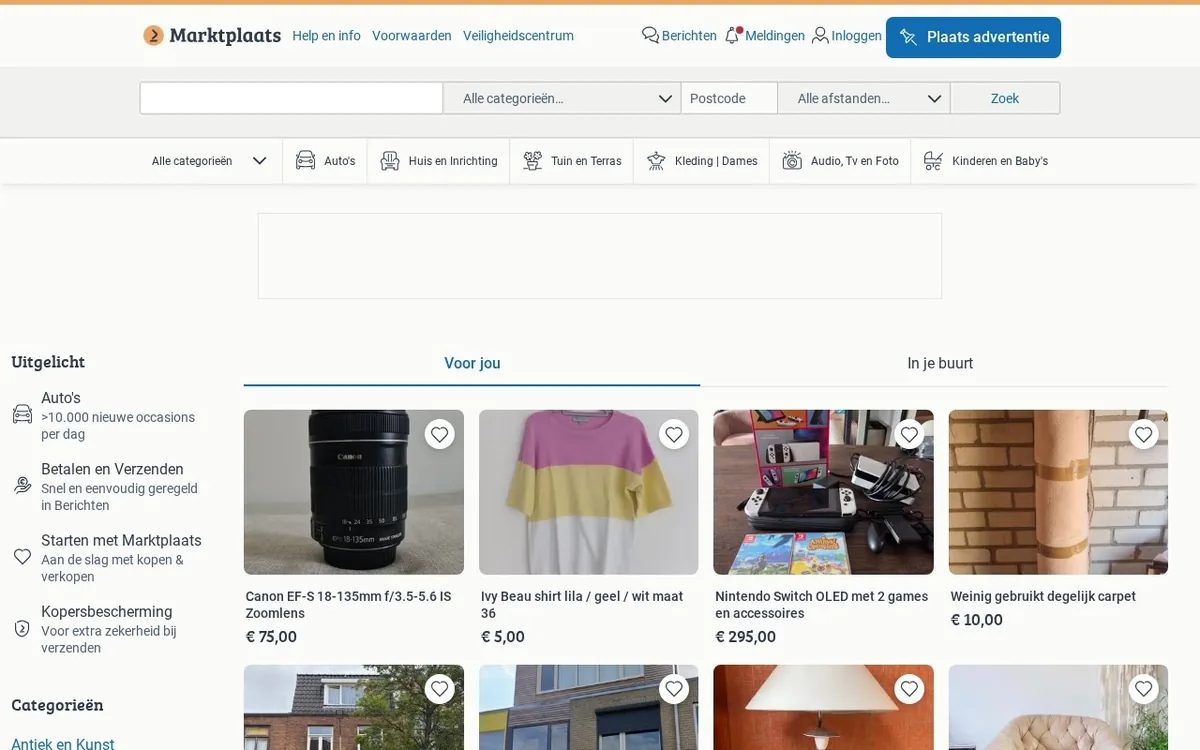
WooCommerce gives you complete control over your storefront, brand equity, and customer data. Marktplaats brings you eight million monthly visitors actively hunting for bargains in the Netherlands and Belgium. Cross-listing between the two means taking the catalog hosted on your self-hosted WordPress site and publishing those identical items as classified advertisements on Marktplaats without retyping descriptions, re-uploading photos, or manually adjusting quantities.
Every professional reseller hits a traffic ceiling when relying solely on an independent webshop. You can optimize your on-page SEO, run paid social campaigns, and tweak metadata, but generating instant purchase intent costs significant capital. Marktplaats bypasses cold traffic acquisition. By placing your WooCommerce catalog in front of high-intent regional buyers, you unlock immediate liquidity for your stock.
The mechanics involve three distinct phases:
- Catalog extraction: Reading your WooCommerce database fields, including post titles, SKU codes, descriptions, regular and sale prices, inventory numbers, and product gallery image URLs.
- Attribute translation: Converting structured WooCommerce data (such as custom taxonomies, weight classes, and size variations) into Marktplaats-specific listing forms. Marktplaats requires designated category trees, predefined condition tags, and explicit shipping preferences that do not match standard WordPress fields out of the box.
- Lifecycle synchronization: Monitoring the item status. When a buyer checks out on your WooCommerce shop, the corresponding Marktplaats advert must close instantly. Conversely, when a local buyer purchases or picks up an item via Marktplaats, that SKU must drop to zero inventory on your website to stop a second customer from paying for missing inventory.
For independent merchants, handling this process by hand means endless copy-pasting across browser tabs. It burns dozens of hours each week and invites operational errors. Using dedicated tools like Omnivaleur turns catalog distribution into a background process, letting you focus on sourcing, refurbishment, and order fulfillment.
Why should you expand your WooCommerce inventory to Marktplaats?
Running a standalone WooCommerce store places the entire burden of traffic acquisition on your shoulders. Organic Google rankings take months to mature. Ad spend on Meta or Google Shopping cuts straight into your gross margin. Marktplaats operates as the dominant local marketplace in the Dutch e-commerce ecosystem. Placing your inventory there provides immediate strategic advantages.
First, local pickup preferences run deep in the Netherlands. Dutch consumers frequently prefer picking up bulkier goods, designer fashion, audio gear, and collectibles in person to inspect them and avoid courier fees. WooCommerce can handle local pickup zones, but it rarely attracts the sheer density of nearby shoppers searching within a 15-kilometer radius of your warehouse. Marktplaats's built-in postal code radius filter directly serves this shopping behavior.
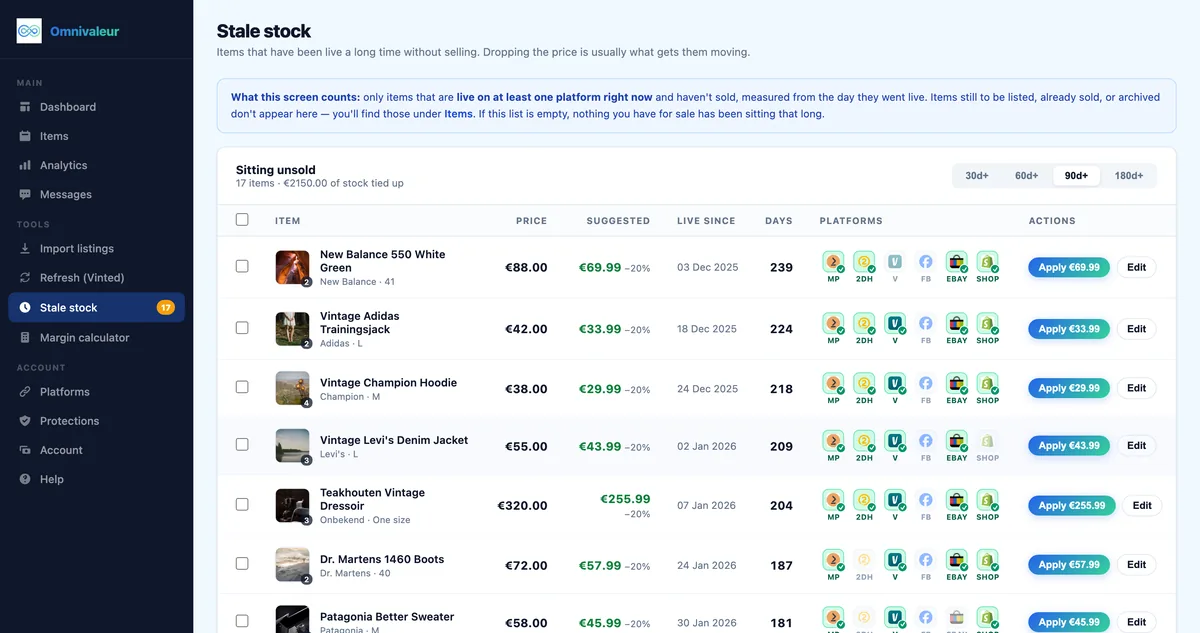
Second, inventory aging costs money. When seasonal fashion, refurbished electronics, or vintage home goods linger on your WooCommerce store past their 60-day mark, they tie up working capital. Cross-listing to a classified environment lets you reach bargain hunters who ignore standalone boutiques. The platform allows you to move stagnant stock quickly, transforming dormant inventory back into cash flow.
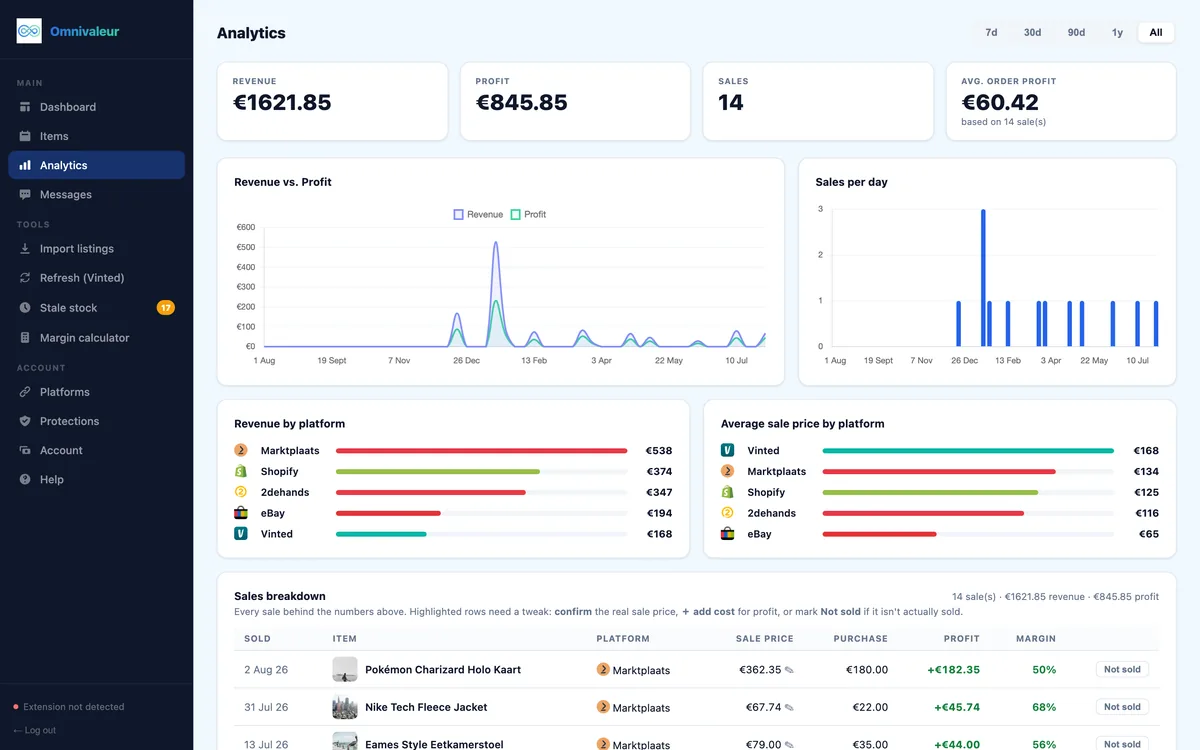
Third, testing product-market fit on second-hand and refurbished items is far faster on a marketplace. You discover the exact clearing price that Dutch buyers will tolerate. In fact, internal analytics from Omnivaleur demonstrate that the actual sale price on second-hand marketplaces sits roughly 10% to 20% below the initial asking price. Knowing this margin variation allows you to inflate your listing buffer on Marktplaats to capture high-margin buyers while retaining negotiating room for bids.
What are the primary differences between WooCommerce and Marktplaats?
Bridging your store and the classified portal requires understanding how their data models and transaction styles clash. WooCommerce operates as a transactional shopping cart engine, while Marktplaats operates as a community-driven classifieds ecosystem with integrated messaging and native payment requests.
| Operational Metric | WooCommerce | Marktplaats |
|---|---|---|
| Listing Lifespan | Permanent until deleted or set to out of stock. | 28 to 60 days depending on category, then expires. |
| Data Structure | Flexible schema, custom attributes, child variants. | Rigid category trees, fixed condition drop-downs. |
| Pricing Strategy | Fixed retail price, optional coupon codes. | Fixed price, "Bieden" (bidding from €X), or negotiable. |
| Checkout Flow | Standard gateway (iDEAL, card, Klarna, PayPal). | Betaalverzoek via Marktplaats, direct bank transfer, or cash. |
| Customer Interaction | Automated transactional emails. | Direct buyer-to-seller chat messaging and negotiations. |
| Platform Fees | Zero platform commission; standard payment gateway fees. | Category dependent; free consumer limits or Pro subscription. |
Recognizing these discrepancies helps you avoid structural headaches. For instance, sending a buyer directly from a Marktplaats message to your WooCommerce URL used to be common practice, but automated platform filters now flag external links aggressively. Sellers must transact natively inside Marktplaats or rely on compliant payment requests to keep accounts in good standing.
What technical challenges emerge when cross-listing between these platforms?
Connecting modern web stores to classified portals is rarely straightforward. With platforms like eBay or Shopify, developers rely on comprehensive, public REST APIs with well-documented webhooks. Marktplaats approaches integration differently.
1. Restricted API access for non-enterprise merchants
Marktplaats does not provide an open, free-tier developer API for casual or micro-business accounts. Direct API endpoints are reserved for enterprise retailers, certified feed partners, and large Marktplaats Zakelijk accounts paying substantial monthly software-as-a-service retainers. If you operate an independent boutique or resale venture, obtaining direct API keys is often financially impractical.
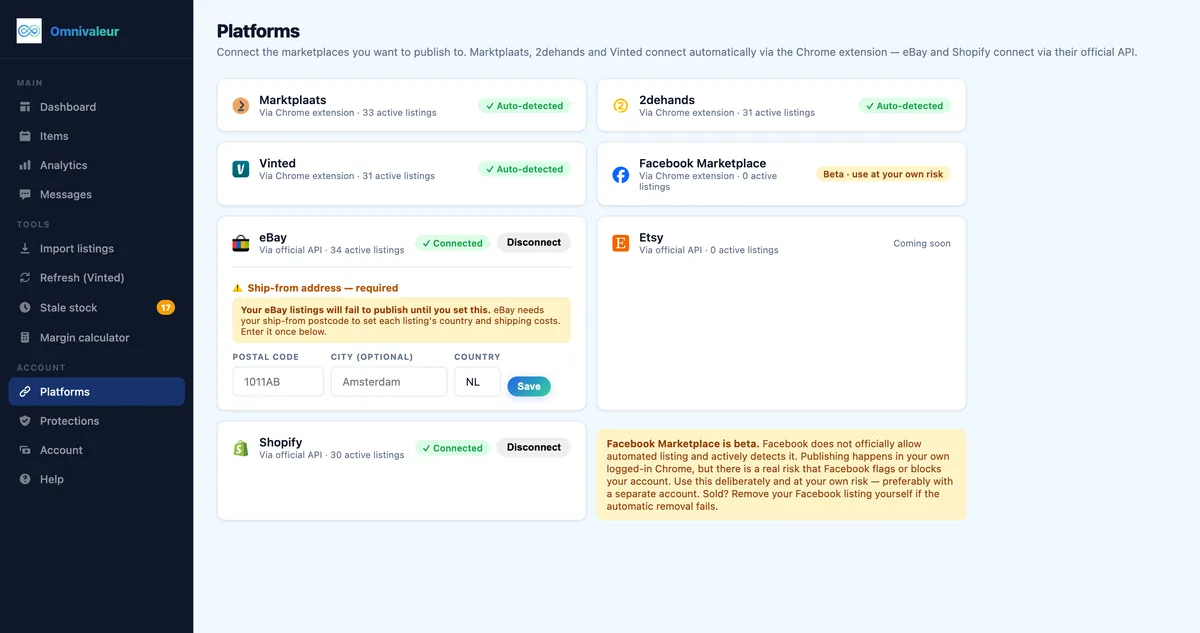
Third-party cross-listing tools resolve this by using secure browser extensions and automation runtimes. These systems interact with the seller portal just like a human operator would, populating listing fields directly from your WooCommerce database export without requiring a proprietary corporate API contract.
2. The variable product dilemma
WooCommerce thrives on variable products. A single t-shirt listing might contain twelve child variations spanning Small to XXL across three colorways. Marktplaats has no native variation engine for standard listings. There is no dropdown menu for a buyer to select "Medium / Olive Green."
When cross-listing, you must decide between two architectural approaches:
- Child product explosion: Automatically split each variant into its own standalone Marktplaats listing with an altered title (e.g., "Vintage Denim Jacket - Size M" and "Vintage Denim Jacket - Size L").
- Parent compilation: Cross-list only the primary parent product, clearly writing all available stock levels and sizes directly in the description body, manually decrementing WooCommerce quantities when a buyer clarifies their choice in chat.
For one-off second-hand goods, vintage finds, and refurbished items, this issue disappears entirely. Unique items represent single-quantity inventory, making direct one-to-one synchronization seamless.
3. Image aspect ratio and photo stripping
WooCommerce web designs routinely favor vertical portraits (2:3 or 3:4 aspect ratios) or crisp 1:1 squares on solid white backgrounds. Marktplaats displays images primarily in a horizontal or square landscape format within its feed. Uploading vertical images without checking preview crops can lead to awkward head-chopping on clothing items or missing edges on equipment photos. Ensure your cross-listing tool passes original full-resolution files so the platform does not compress them into blurry thumbnails.
How do you map WooCommerce product data to Marktplaats specifications?
A clean cross-listing workflow depends entirely on data mapping. If your WooCommerce database fields dump raw HTML markup into a classified description box, the resulting advert will look unprofessional and deter buyers.
Cleaning HTML and shortcodes
WooCommerce descriptions often house rich HTML, visual page builder shortcodes (from Elementor, Divi, or Gutenberg blocks), and embedded CSS snippets. Marktplaats accepts only plain text formatting with basic line breaks. Your listing solution must strip out tags like <div>, <span>, and [vc_row] before transmission. Clean spacing, bulleted feature summaries, and transparent condition reports convert best.
Mapping the category tree
On WooCommerce, you might assign an item to Home > Menswear > Outerwear > Coats. Marktplaats organizes this under Kleding | Heren > Jassen | Winter. Because the taxonomies never match word for word, intelligent cross-listers use algorithmic category suggestions based on your title keywords. Selecting the wrong category suppresses your visibility completely because Dutch shoppers heavily filter by exact sub-category paths.
Translating shipping rules and dimensions
WooCommerce calculates shipping via automated table rates, flat fees, or integrations with couriers like PostNL or DPD. Marktplaats requires you to specify shipping upfront in one of four distinct formats:
- Ophalen (Pick-up only)
- Verzenden (Shipping only)
- Ophalen of Verzenden (Both allowed)
If you choose shipping, you must predetermine package size tiers (e.g., standard letterbox package up to 2 kg versus standard parcel up to 10 kg). When your item sells, you can generate domestic labels smoothly. Resellers looking to streamline parcel dispatches should study how to print shipping labels on Marktplaats to shave minutes off every outbound package.
How do you prevent double-selling across both channels?
Double-selling is the quickest way to destroy your seller metrics and irritate high-value customers. Imagine a collector buying a unique mid-century lamp on your WooCommerce store at 11:15 PM. At 11:20 PM, before you wake up to check orders, another buyer purchases that exact lamp via Marktplaats payment request. One customer will leave disappointed, write a blistering review, or file a complaint.
To eliminate this threat, professional merchants deploy two safeguards:
Automated delisting triggers
Whenever an order status transitions to "Processing" or "Completed" in WooCommerce, your cross-listing software detects the inventory reduction and sends an automated request to end the corresponding Marktplaats advert. If you operate across other European resale portals simultaneously, learning how to stop selling the same item twice on Marktplaats and Vinted becomes foundational to scaling inventory safely.
SKU-level inventory discipline
Every single item in your WooCommerce store must possess an unmistakable, unique SKU. Never rely solely on product titles to match listings. Titles change when you optimize for seasonal keywords, but a persistent SKU (such as VNT-JKT-0429) guarantees that background automation software links the exact warehouse unit across all active web fronts.
What are the real fee structures and margin realities in 2026?
Selling through your own WooCommerce install avoids platform revenue cuts, leaving you with simple payment processing charges. iDEAL transactions via Mollie or Stripe run around €0.29 to €0.35 flat per sale, while credit cards hover around 1.4% to 1.9% plus €0.25. Cross-listing to third-party marketplaces introduces additional platform costs that must be factored into your pricing formulas.
Marktplaats charges fees based on listing volume, advert longevity, and product category. While hobbyist sellers enjoy free placements in selected second-hand categories up to specific listing caps, commercial niches (such as cars, real estate, services, and high-turnover consumer electronics) demand listing fees. Read through our detailed breakdown of Marktplaats fees to understand where free limits stop and listing charges begin.
Consider this real-world margin comparison for an authenticated vintage leather jacket listed in 2026:
| Financial Element | Direct WooCommerce Sale | Marktplaats Direct Sale |
|---|---|---|
| Sourcing Cost | €40.00 | €40.00 |
| Listed Asking Price | €120.00 | €120.00 |
| Negotiated Real Closing Price | €120.00 (Fixed price) | €102.00 (After typical 15% chat offer) |
| Platform Listing / Success Fee | €0.00 | €0.00 (Standard clothing category) |
| Payment Gateway Processing | €0.32 (Mollie iDEAL flat) | €0.40 (Marktplaats Online Betalen fee) |
| Packaging & Handling | €2.50 | €2.50 |
| Net Profit | €77.18 | €59.10 |
On paper, WooCommerce nets a higher return on equity. However, the jacket might sit in your warehouse for four months waiting for organic search traffic. On Marktplaats, that same jacket frequently clears within 72 hours. Smart sellers accept a slightly lower net margin on the marketplace in exchange for aggressive inventory turnover and instant cash recovery.
Accurate analytics make all the difference here. Omnivaleur's reporting calculates your net return from the actual agreed sale price—which sellers confirm per transaction—rather than the original asking price. Because second-hand closing figures diverge from asking prices by 10% to 20%, tracking real closing numbers keeps your books realistic and your sourcing budgets accurate.
- ✓Assign a unique SKU to every product in WooCommerce
- ✓Strip raw HTML tags and visual shortcodes from descriptions
- ✓Map your store categories to the exact Marktplaats category tree
- ✓Choose whether an item allows shipping, local pickup, or both
- ✓Turn on automated delisting triggers so sold stock closes immediately
Step-by-step: How to cross-list WooCommerce products to Marktplaats with Omnivaleur
Automating your multi-channel deployment eliminates hours of repetitive data entry. Follow this operational sequence to synchronize your stock smoothly.
Step 1: Audit and prepare your WooCommerce catalog
Before launching any automation, ensure your store's backend data is clean. Ensure that:
- Every product has a dedicated, unique SKU.
- All images are hosted on fast, reliable storage without broken links.
- Shortcodes are isolated from the main product description text.
- Weight and dimensions are filled in accurately for shipping calculations.
Step 2: Connect your inventory engine
Sign up for Omnivaleur and connect your WooCommerce store. The system imports your active catalog via read-only access, pulling your active stock counts, tags, prices, and media galleries into a single centralized operational dashboard.
Step 3: Define category rules and listing templates
Set up automated listing rules for Marktplaats:
- Apply default pricing rules (e.g., automatically bumping asking prices by 10% on Marktplaats to leave room for negotiations).
- Configure your default fulfillment mode to "Ophalen of Verzenden."
- Set your bidding parameter to "Bieden vanaf" (minimum bidding threshold) or lock it to "Vaste prijs" (fixed price).
Step 4: Review and publish listings
Select the batch of WooCommerce products you want to export. The automation interface maps attributes to Marktplaats's field specifications. You can review the draft preview, confirm the category placement, and trigger the publishing process. The system populates the listing data directly onto Marktplaats without manual copying and pasting.
Step 5: Monitor stock parity across sales
Keep your automated listener active. When an item sells on Marktplaats, update the status in your dashboard to immediately delist the item or decrement inventory in WooCommerce. If a customer checks out on your webshop first, the software automatically removes the live advert from Marktplaats.
What tax and regulatory rules apply to Dutch cross-listing in 2026?
Operating across multiple sales channels complicates your compliance picture. European financial authorities require strict visibility over transactions occurring on online platforms.
1. DAC7 reporting obligations
Under European Union directive DAC7, platforms like Marktplaats must collect seller identification and report transaction volumes directly to national tax authorities. In the Netherlands, the Belastingdienst receives automated seller reporting as soon as you hit either of two thresholds within a single calendar year:
- Completing 30 or more transactions on the platform.
- Generating €2,000 or more in gross sales revenue.
Your WooCommerce sales are already recorded through your official business tax filings. Because Marktplaats reports user earnings directly to the tax office, your sales figures must reconcile across channels. Maintaining identical SKU logging ensures you never accidentally misreport business income as tax-exempt personal classified sales.
2. The VAT margin scheme for second-hand goods
If you source second-hand fashion, refurbished tools, or antiques from private individuals to sell on WooCommerce and Marktplaats, you should not be paying standard 21% VAT on the entire turnover. Instead, apply the VAT margin scheme for second-hand goods. Under this framework, you calculate value-added tax strictly on your gross profit margin (the difference between the acquisition cost and the final sale price).
WooCommerce requires custom configuration or specialized invoicing plugins to handle margin scheme rules correctly, as traditional setups try to apply 21% VAT to the gross product price at checkout. On Marktplaats, all customer prices must be quoted inclusive of any applicable taxes.
3. EU consumer protection and statutory return rights
When you sell commercially on WooCommerce, European Union regulations mandate a minimum 14-day statutory right of withdrawal (cooling-off period) for consumers, outlined clearly under EU consumer shopping rights. On Marktplaats, commercial sellers (operating via business accounts) must honor these exact same distance-selling rights. Only private individuals selling personal items peer-to-peer are exempt from mandatory return policies.
How does Marktplaats cross-listing compare across platforms?
Many multi-channel operators do not stop at Marktplaats. Depending on your merchandise mix, you might also cross-list your WooCommerce items to Vinted, eBay, Etsy, or Shopify stores. Comparing tools helps you select the right automation stack for your regional footprint.
For merchants weighing their options between enterprise cross-listers and specialized European platforms, examining our guide on Omnivaleur vs Crosslist reveals major differences in regional platform support. Many US-centric tools cater exclusively to eBay, Poshmark, and Mercari, offering zero functional automation for Marktplaats, 2dehands, or local European buyer preferences.
If your strategy involves migrating beyond WordPress entirely, you can also explore how to manage Marktplaats to Shopify cross-listing. However, for stores already running on a hardened WordPress setup, retaining WooCommerce as your central database and pushing catalog outposts to regional classifieds offers the highest degree of sovereignty over your data.
Maintaining account health and avoiding automated bans
Platforms protect their ecosystems from abusive spam, rapid inventory dumping, and aggressive scraping. When synchronizing inventory, respect platform limits to protect your seller profile.
A prime example of operational safety occurs in routine catalog refreshes. Resellers often relist aged items to regain search visibility. In high-velocity marketplaces like Vinted, over-refreshing triggers bot detection. For instance, Omnivaleur's Vinted refresh tool intentionally caps itself at 8 free refreshes per day and states outright that no tool can guarantee a marketplace will not flag an account. Adopting this measured pace across all marketplace activity—including Marktplaats advert updates—protects your business profile from algorithmic flags or sudden visibility shadowbans.
Stick to steady daily batch updates rather than blasting hundreds of new listings in a three-minute window. Space out your submissions naturally. Ensure every listing contains distinct photography and customized descriptions. By treating marketplace channels with the same operational care as your primary WooCommerce database, you build an automated sales engine that runs predictably month after month.
Frequently asked questions
Can I import my existing Marktplaats adverts directly back into WooCommerce?
Does Marktplaats charge a fee for every product I cross-list from WooCommerce?
How does chat-based negotiation on Marktplaats sync with WooCommerce pricing?
What happens if a customer buys an item on WooCommerce while someone is bidding on Marktplaats?
Do I need a registered Dutch Chamber of Commerce (KVK) number to cross-list to Marktplaats?
Keep reading


Stop copying listings by hand
Omnivaleur publishes your item to every platform at once and syncs stock automatically when something sells.
Start free trial